Download Model Snapshots for Offline Viewing

Deployment Status & Regional Availability

Model Manager, Procore’s next-generation replacement for the Models tool, officially launches in General Availability across the UK and Ireland (UKI) on October 15, 2026, alongside a global Beta for all other regions. Procore Mobile App (iOS/Android) support is also live in Beta as Procore continues to transform 3D model workflows. Stay tuned for additional features in future releases.
For platform deployment status & regional availability Show/Hide

The Model Manager and the Models tool can be active on the same project at once. Administrators are not required to disable the Models tool.

Platform

Deployment Status/Region

Learn More

Web

  • General Availability: United Kingdom & Ireland (UKI) on October 13, 2026

  • Beta: All other regions

iOS

  • Beta: All regions

Android

  • Beta: All regions

Model Manager Beta: Access & Guidelines

  • Registration: Participating companies must sign the Procore Beta Agreement. Once signed, your Procore Administrator will coordinate with your Procore point of contact to enable Model Manager on specific projects. It is not available in Procore Explore.

  • Support & Feedback: Please report critical or breaking issues directly to Procore Customer Support. For general feedback, feature requests, and non-critical issues, contact your dedicated Beta program lead or Procore point of contact.

  • Beta Notice: This feature and its supporting documentation are in active development. Beta services are provided strictly "as is" for evaluation purposes, carry no standard warranties or liability, and are subject to change or discontinuation without notice. For full terms, please refer to the Procore Subscription Services Agreement.

Pre-Release Documentation

This article documents a planned feature that is not in General Availability (GA). Release timing is not guaranteed, and functionality described here may change before launch.

Offline model snapshots enable field teams to review coordinated model content on-site without an internet connection. Viewing snapshots offline preserves the camera view and section state captured when the snapshot was created. This helps ensure your teams maintain access to critical model views in areas with limited or missing connectivity.

Things to Consider

  • Required User Permissions

  • Additional Information:

    • Offline viewing applies only to downloaded snapshots and does not support live federated scenes.

    • Snapshots exclude hidden geometry and objects outside the saved section volume to minimize file size and speed up offline performance.

    • Offline snapshots do not automatically update when project changes occur online. Connect to the internet and re-download the snapshot to view recent project changes.

Prerequisites

  • Access: Verify access to a project using the Model Manager tool.

  • Authentication: Sign in to the Procore for Mobile app on an iOS or Android device.

  • Status: Ensure the target model snapshot is published.

  • Hardware: Confirm the mobile device has sufficient storage space to save snapshot files.

  • Connectivity: Establish an active internet connection before downloading or refreshing snapshots.

Steps

  1. Navigate to the project's Model Manager tool.

  2. View a model.

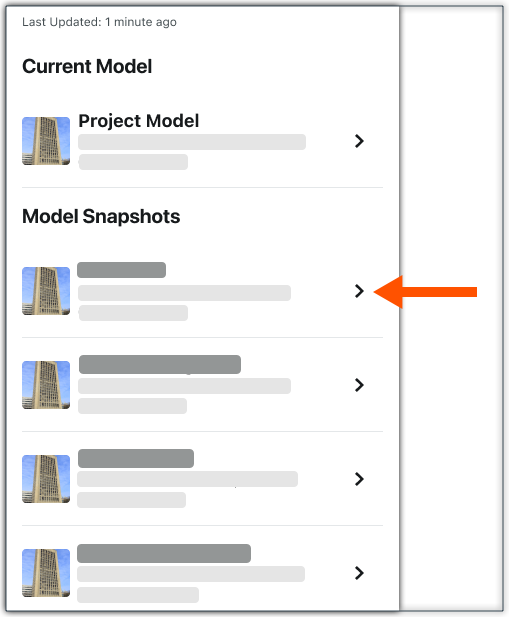
  3. Tap the snapshot to download.
    This image shows how to open a Model Snapshot in Model Manager from a Procore Mobile app (iOS/Android)

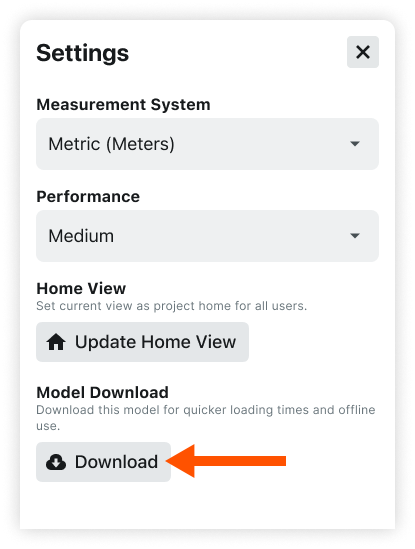
  4. Under Model Download, tap Download. A progress indicator shows the download in progress.
    This image shows the Download button when viewing the Settings for a Model Snapshots in the Next-Gen Viewer of the Model Manager tool on an iOS/Android device.

  5. When you device is offline, the snapshot is now available to open.

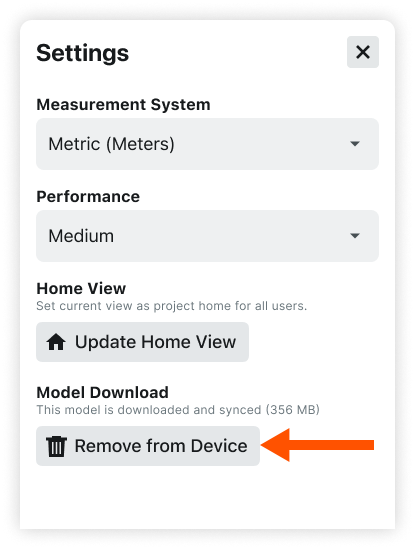
  6. To remove the download from your device later, tap Remove from Device. This image shows the Remove from Device button for a Model Download for a Model Snapshots from the Procore Mobile app (iOS/Android)