Add or remove early pay programmes from projects
Background
A payment admin for the In Procore Pay, a payor is a main contractor who sends payment application payment to specialty contractors.
Things to Consider
Additional Information:
The Procore project must set to 'Active'. See Change a project's status to active or inactive.
Steps
Navigate to the Company level Payment tool.
Click the payments settings
 icon.
This opens the payment setting page. The payment processing tab is active by default.Click Project Controls.
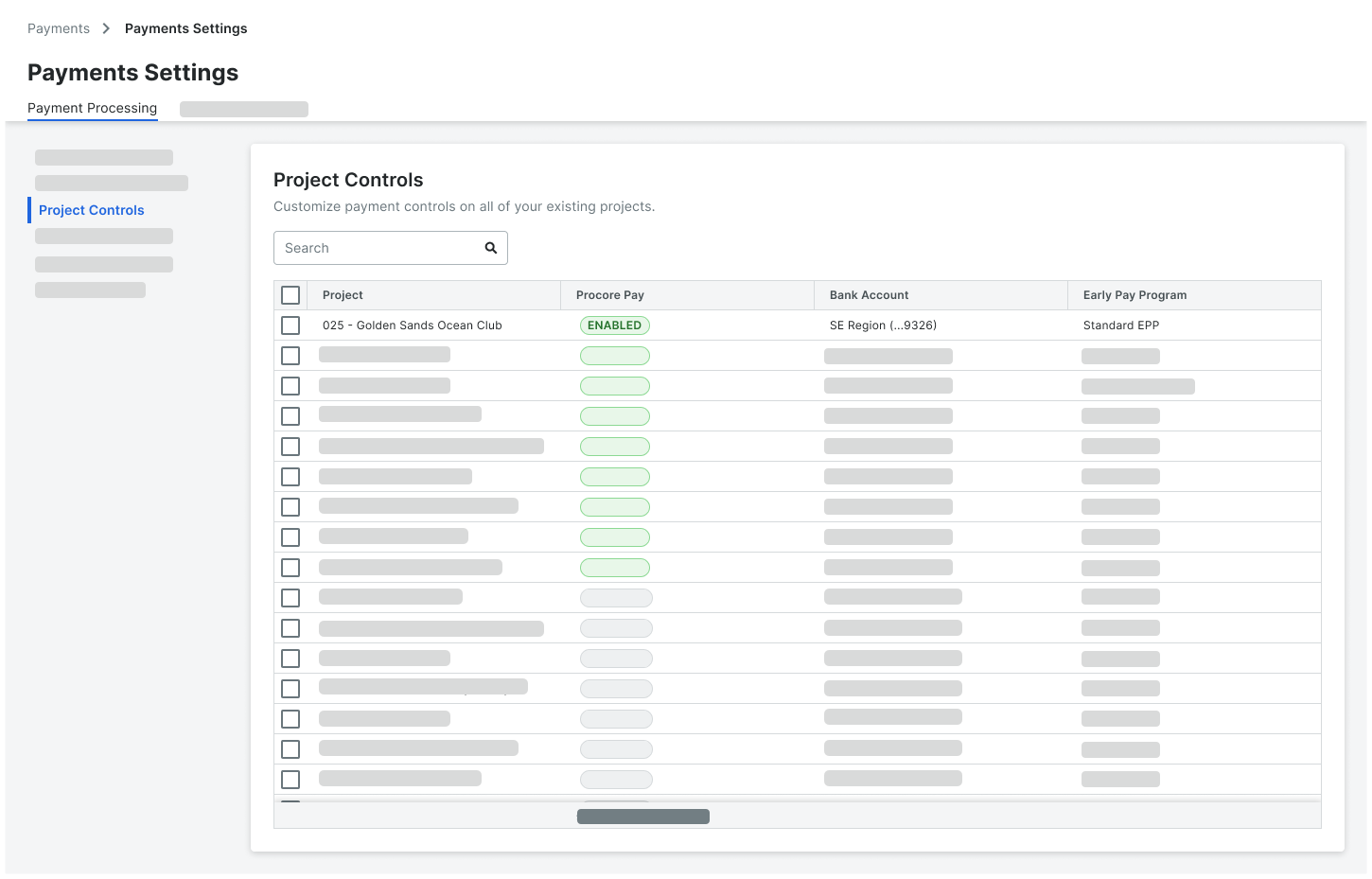
In the 'Project controls' table, identify the projects you wish to modify:
Individual selection. Mark the tickbox(es) for specific projects.
Bulk selection. Mark the tickbox in the Project column header to select all projects.
Assign or remove programme. Click the Early Pay programme column for your selected projects and choose from the drop-down list:
To Add/Change: Select the desired Active programme name.
To remove: Select No programme.
ImportantIf you change the Early Pay programme assigned to a Procore project, any enrolled payees must re-enrol in the new active programme that you assign to the project.
Are you looking for a specific programme? To appear in this list, the Early Pay programme must be in the 'Active' status. 'Inactive' programmes do NOT appear in this list.
Do you want to remove the programme assignment from a project? Select No programme from the drop-down list.