Create early pay programmes
Background
A In Procore Pay, a payment admin is a designated Procore user who administers the Company level payment tool for that company's Procore account. Typically, one (1) or a small number of trusted users are designated to perform the tasks associated with this role.
Things to Consider
Additional Information:
Once applied to a project, programme fees and due date cannot be modified.
A payor can create one (1) or more Early Pay programmes.
Steps
Navigate to the Company level Payment tool.
Click Early pay programmes.
Click Create.
On the New early pay programme page, update the Programme details:
Programme name.
Type a unique name for the Early Pay Programme.
Standard fee.
Type a percentage between zero (0%) and ten (10%) or click the (+) plus and (-) minus signs to adjust the percentage amount.
Preferred fee.
Type a percentage between zero (0%) and ten (10%) or click the (+) plus and (-) minus signs to adjust the percentage amount.
Programme status.
The default status for a new Early Pay programme is Active. To change a programme's status to Inactive, see Deactivate Early Pay programmes.
Due date method. Choose one (1) option:
On a set day of the month after the end of the valuation period. Choose this option and set the calendar day of the month with the due date drop-down list. The default due date for this option is the last day of the month
A set number of days after the end of the valuation period. Choose this option and set the number of days with the due date drop-down list. The default due date for this option is one (1) day.
Optional. Under Subcontractor instructions, type any relevant information in the Message to subcontractors box. This is included in the body of outgoing invites to subcontractors.
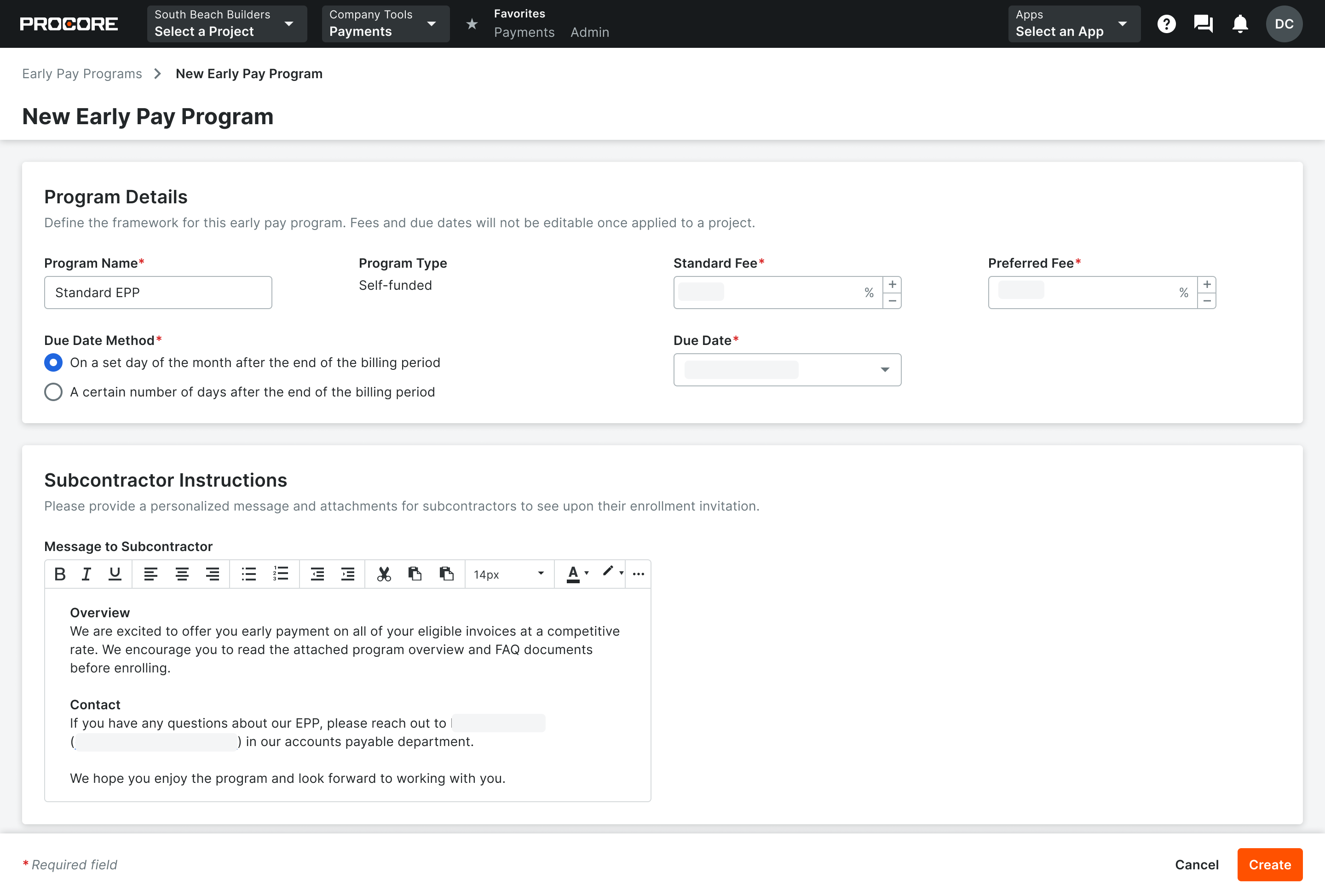
Click Create.
Procore Pay creates the programme and logs the action in the programme's Change history tab. See View the change history of an early pay programme.
