Track early pay due date

Track early pay due date in payment

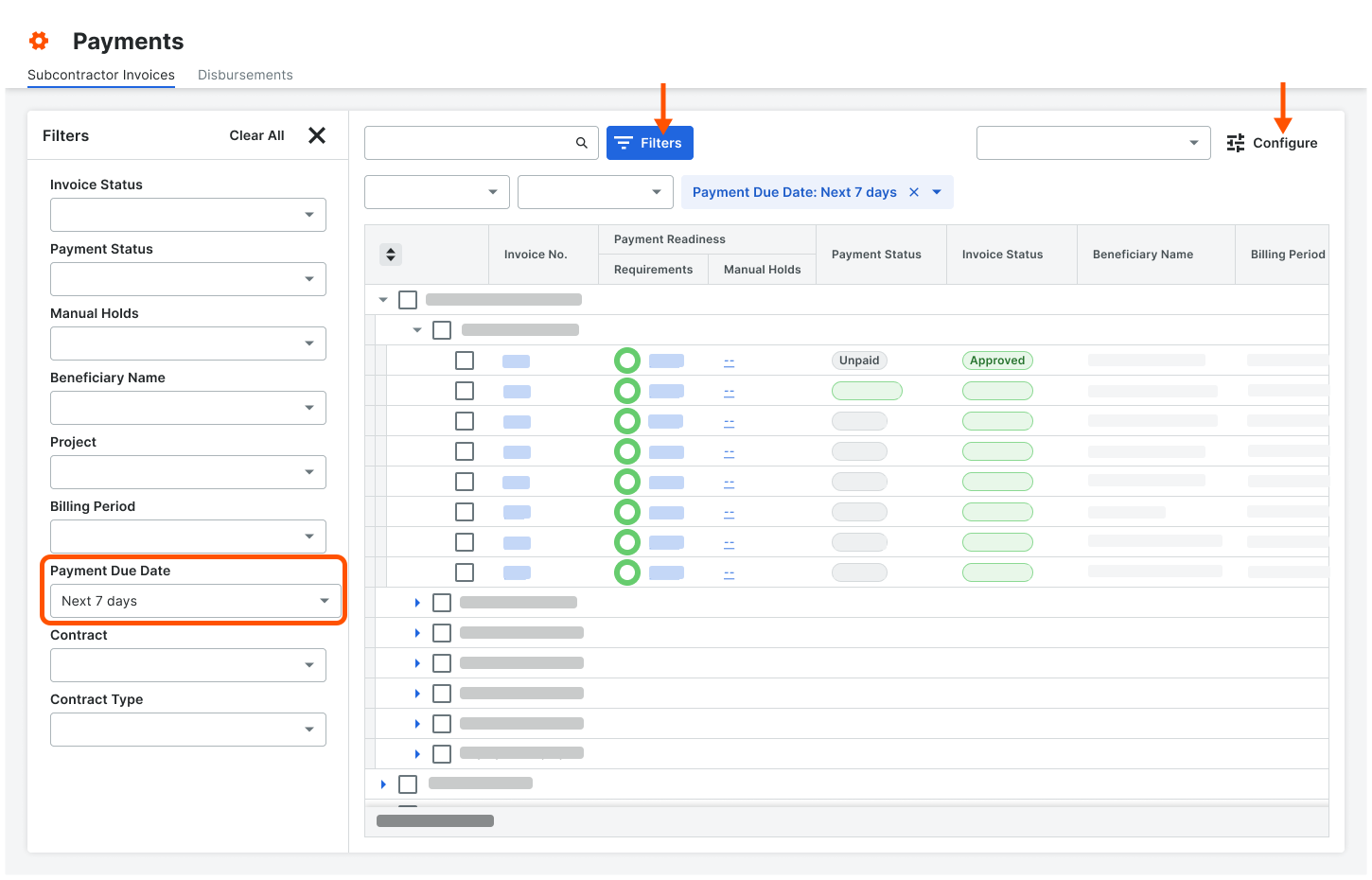
Payment admins and payment disbursers can track early pay due dates in the payment tool in the Subcontractor payment applications tab. Click the Configure button to open the Filters pane or click the Filters button apply these new filter options to the tab: Overdue Today, Next 7 days or a custom date range.

See About the subcontractor payment applications tab in the payment tool.

Example

This is an example of the Filters options in the Subcontractor payment applications tab of the payment tool.
Pay Sub Inv Track Epp Due Date

Track early pay due dates on payment applications in payment details

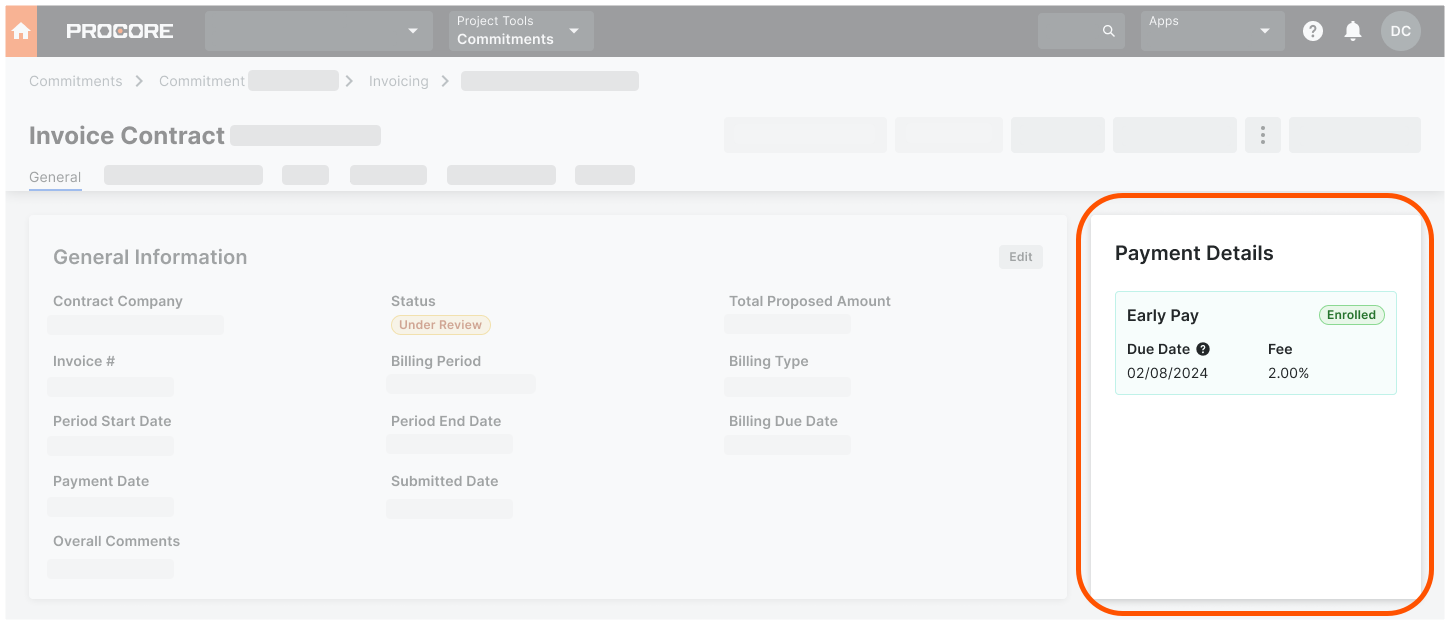
Once a specialty contractor enrols in a programme, payment application administrators can use Procore's Payment Application Management tools to track Early Pay Programme status, fees and due dates using the Payment Details card on a subcontractor payment application. This card is only visible to users who can create, edit and review subcontractor payment applications for a payor.

See Create a subcontractor payment application on behalf of a payment application contact.

Example

This is an example of the payment details card in the General tab of a subcontractor payment application.

Payment Details Epp Data