View the early pay programme tab in the payment tool
Background
With Early Pay programmes, the In Procore Pay, a payor is a main contractor who sends payment application payment to specialty contractors. In Procore Pay, a payee is a specialty contractor who receives payment application payment from a main contractor. Also called a beneficiary. In Procore Pay, a payment admin is a designated Procore user who administers the Company level payment tool for that company's Procore account. Typically, one (1) or a small number of trusted users are designated to perform the tasks associated with this role.
Things to Consider
Steps
Navigate to the Company level Payments tool.
The Subcontractor Invoices tab is active by default.Click Early Pay Programs.
The tab lists all of your company's Early Pay Programs.
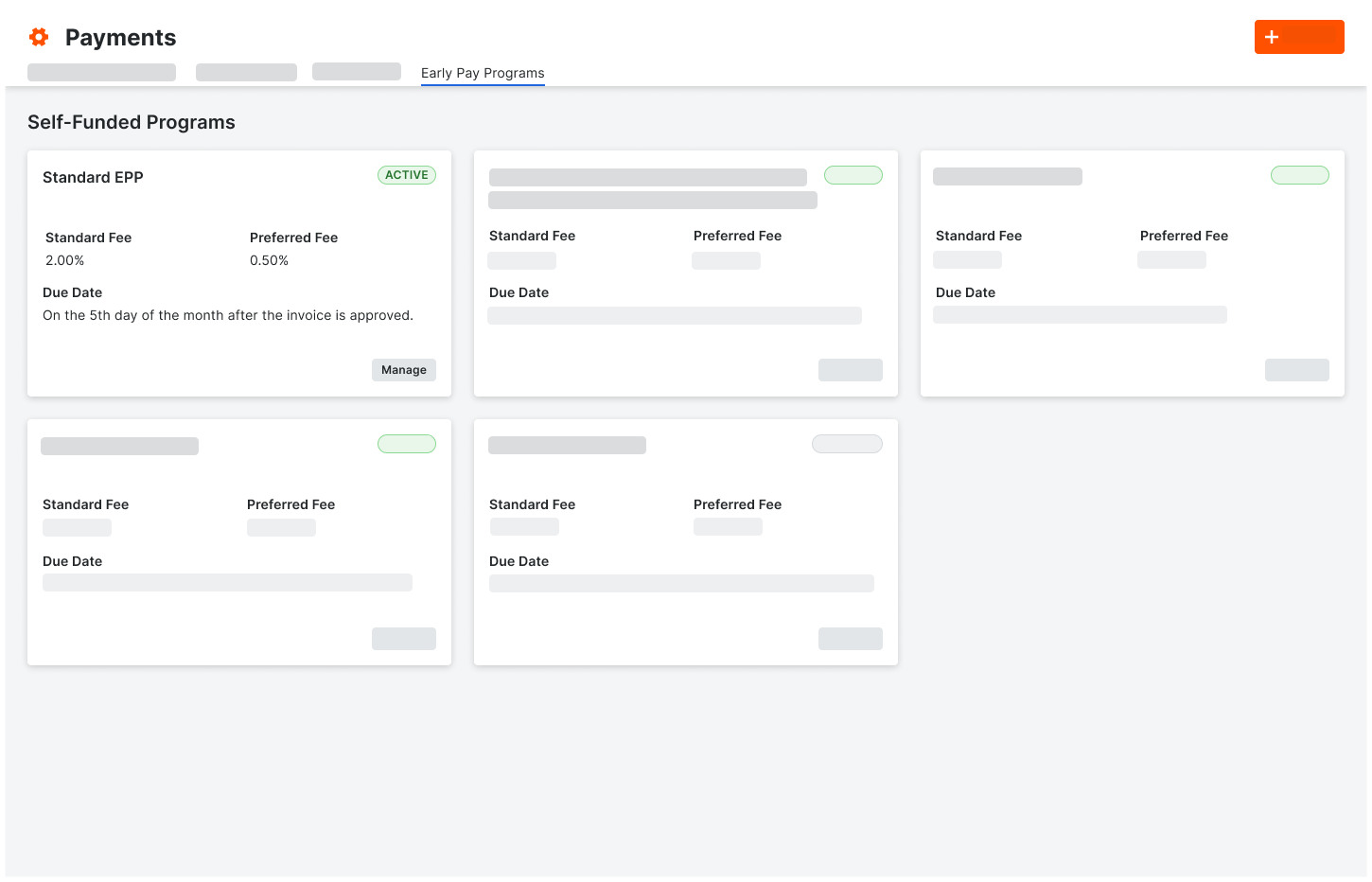
Program Cards
Each program has a card with these elements.
Element | Type | Description |
|---|---|---|
Active | Status | Shows the current status of the Early Pay programme in Procore Pay: Active or Inactive |
Standard fee | Percentage | Shows the programme's percentage rate for standard participants. See Manage participation and discount rates for early pay programmes as a payor. |
Preferred fee | Percentage | Shows the programme's percentage rate for preferred participants. See Manage participation and discount rates for early pay programmes as a payor. |
Due Date | Date | Shows the rules/configurations to determine the early payment due date. Dates are set based on each programme's 'due date method'. To learn more, see Create early pay programmes as a payor. |
Manage | Button | Authorised users can click this button to manage the programme. See Manage Early Pay programmes as a payor. |