About the disbursements tab
Navigate to the Company level Payments tool. The Subcontractor payment applications tab is active by default.
Click the Disbursements tab.
TipDon't see the disbursements tab? Only a payment admin or payment disburser can view this tab. Your company's payment admin can assign users to the payment disburser role. See Add payment disbursers as a payor.
Filters
Default columns
Optional columns
Filters
You can filter the table data using these options.
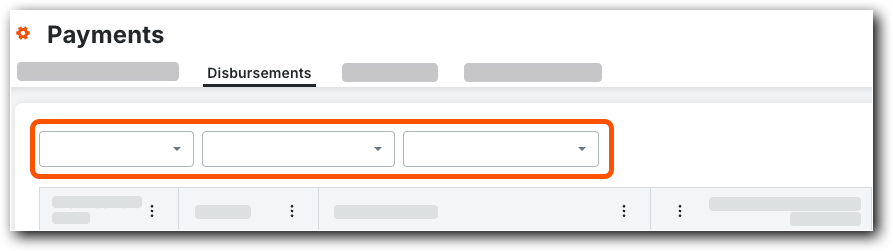
This table shows the filters available in the Disbursements tab.
Element | Type | Description | Learn More |
|---|---|---|---|
Created on | Drop-down list | Apply one (1) or more filters to show only those payment applications on the list: Last 30 days, Last 60 days, Year to date. | |
Funding account | Drop-down list | Apply one (1) or more filters to show only those payment applications related to the selected funding account. Accounts are managed by a payment admin. | |
Drawdown status | Drop-down list | Apply one (1) or more filters to show only payment applications in the selected status. | What are the default drawdown status in Procore Pay? |
Workflow status (Only available if your team has implemented a custom payment workflow) | Drop-down list | Apply one of these filters to show only those payment applications in the corresponding workflow status. To learn about status, see What are the default workflow status for disbursements in Procore Pay's custom payment workflow? |
Default columns
This illustration shows you the default columns in the disbursements table.

This table details the default columns in the disbursements table.
Element | Type | Description | Learn more... |
|---|---|---|---|
Disbursement No. | Column | Shows the number assigned to a disbursement. | |
Name | Column | Shows the name assigned to a disbursement. | |
Funding account | Column | Shows the name of the funding bank account that funded the disbursement. | |
Aggregate disbursement amount | Column | Shows the aggregate disbursement amount. This shows the grand total of all the payment amounts in a single disbursement. | |
Drawdown status | Column | Shows the current drawdown status of a disbursement. | What are the default drawdown status in Procore Pay? |
Created By | Column | Shows the name of the payment admin who created the disbursement. | |
Created on | Column | Shows the date the disbursement was created. |
Optional columns
This table details the optional columns in the disbursements table.
Element | Type | Description | Learn more... |
|---|---|---|---|
Workflow status (Only available if your team has implemented a custom payment workflow) | Column | This column reflects the current workflow status of each disbursement. To learn about status, see What are the default status for a disbursement in a payment workflow for Procore Pay? |