Send payment readiness reminder emails
Background
The Send payment readiness reminder feature helps notify payees when payment on a payment application cannot be processed because of one or more missing payment requirements. When a reminder is sent, the system email the payment application contacts associated with the selected payment application(s), informing them that payment is currently blocked and identifying the payment requirements must be completed before the payment application can move forward for payment. This provides a proactive way to communicate payment delay and helps subcontractors take the necessary actions to become payment ready.
Steps
Navigate to the Company level Payment tool.
Click the Subcontractor payment applications tab.
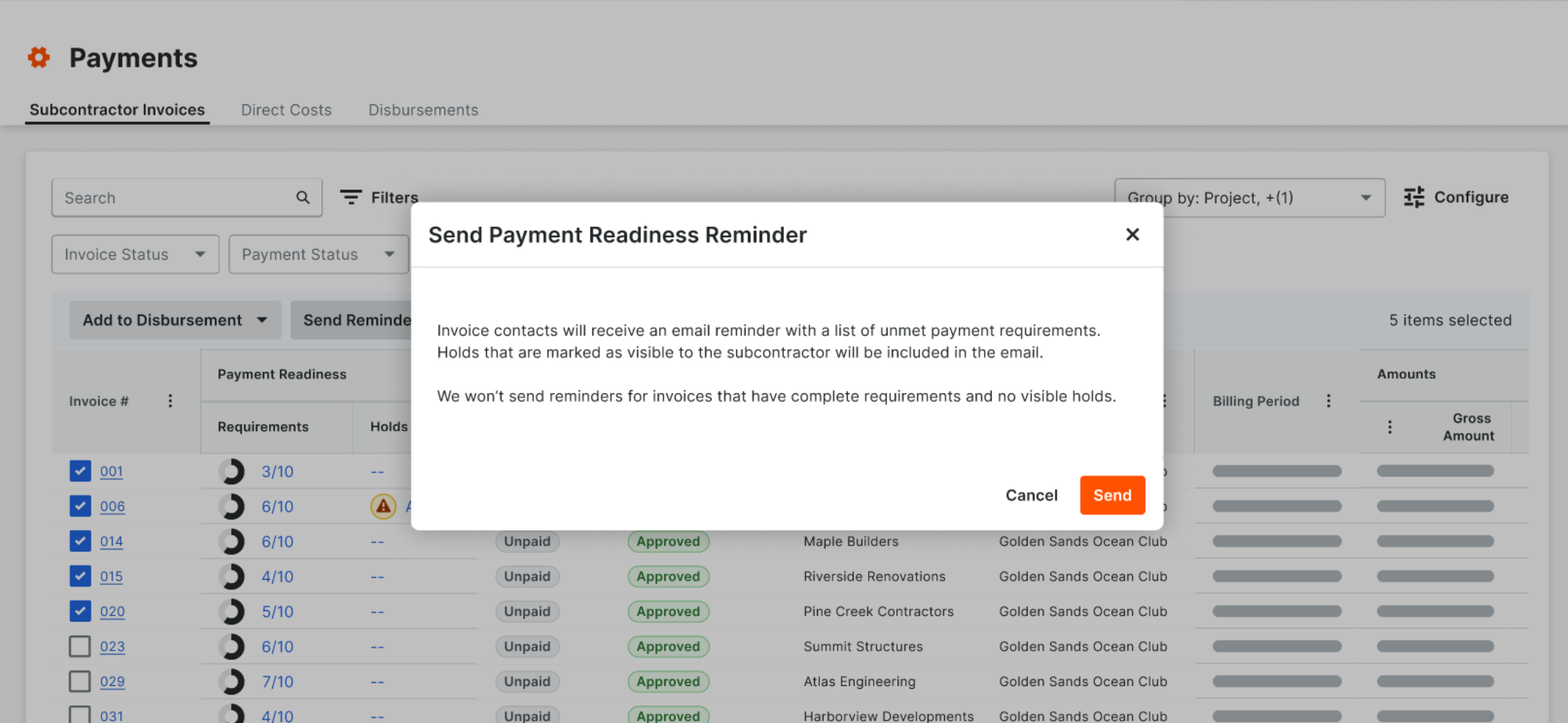
Select one (1) or more payment application(s) by marking the tickbox(es) and click Send reminder.
In the 'Send payment readiness reminder' confirmation modal, review the informational message and click Send.