Configurer la collecte des frais pour les projets
Accédez à l’outil Paiements au niveau entreprise.
Cliquez sur l’icône
 Paramètres de paiement. La page Paramètres de paiement s’ouvre. La page Comptes de financement est active par défaut.
Cliquez sur Contrôles du projet. La page Contrôles du projet s’ouvre.
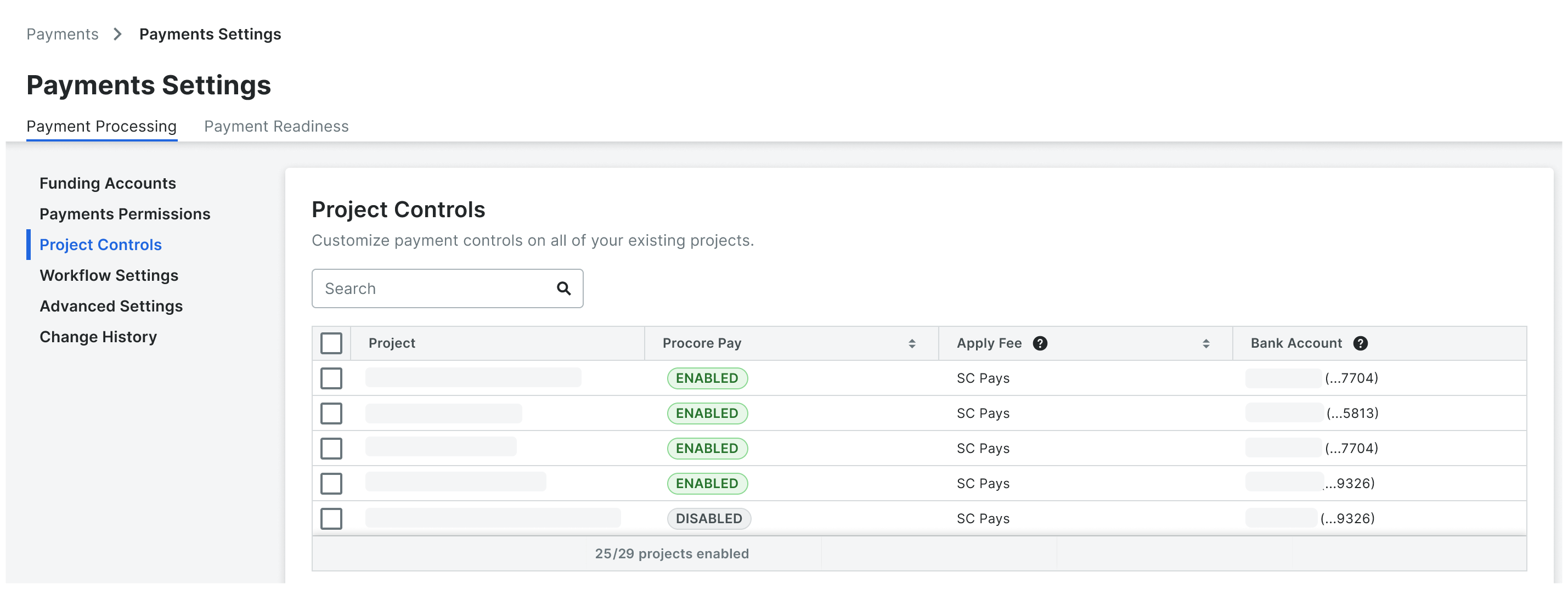
Dans le tableau, localisez le projet.
PointeÀ la recherche d’un projet spécifique ? Commencez à saisir le nom du projet dans la zone de recherche pour restreindre les comptes dans la liste.
Vous souhaitez modifier le statut « Payer » sélectionné ? Vous pouvez également mettre à jour cela dans le tableau. Pour en savoir plus, consultez Activer ou désactiver Procore Pay sur vos projets.

Pour modifier les paramètres des frais, cliquez sur le chantier « Appliquer les frais » et sélectionnez l’une des options suivantes : Remarque : « ES paie » est sélectionné par défaut.
GC paie. Choisissez cette option lorsque l’entrepreneur général paie les honoraires.
SC paie. Choisissez cette option lorsque les entrepreneurs spécialisés paient les honoraires.