Ajouter des contacts de facturation
Accédez à l’outil Facture du projet.
PointeVous pouvez également ouvrir un engagement à partir de l’outil Engagements. Pour ce faire, accédez à l’outil Engagements au niveau projet. Dans l’onglet Contrats , cliquez sur le lien Numéro .
Cliquez sur l’onglet Sous-traitant .
Localisez la facture à mettre à jour et cliquez sur le lien Contrat. Cela ouvre l’engagement. Une facture de sous-traitant émane d’un engagement. 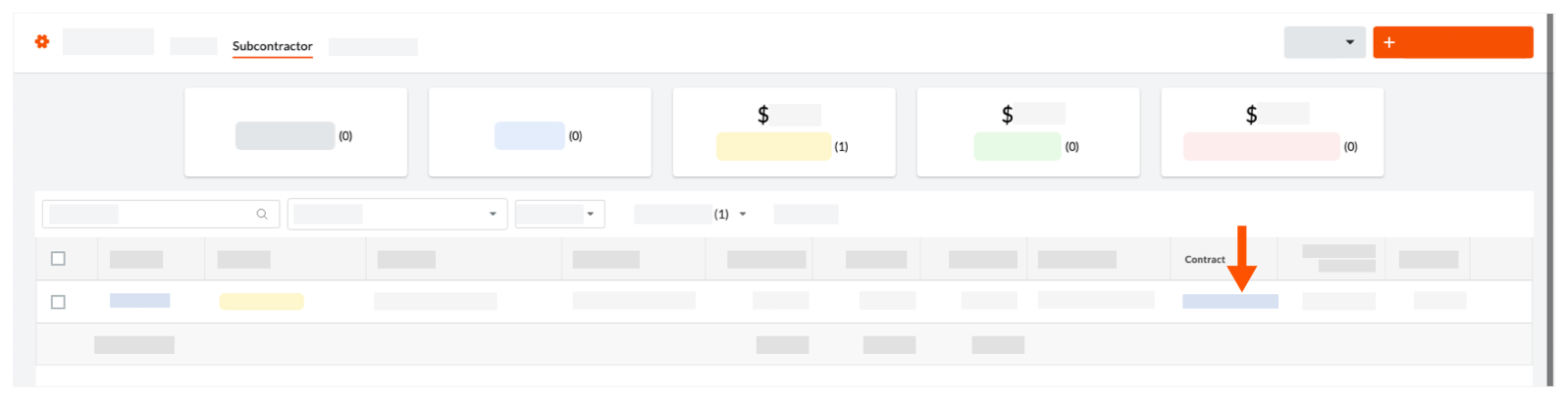
Dans l’engagement, cliquez sur Modifier.
Sous Informations générales, procédez comme suit : 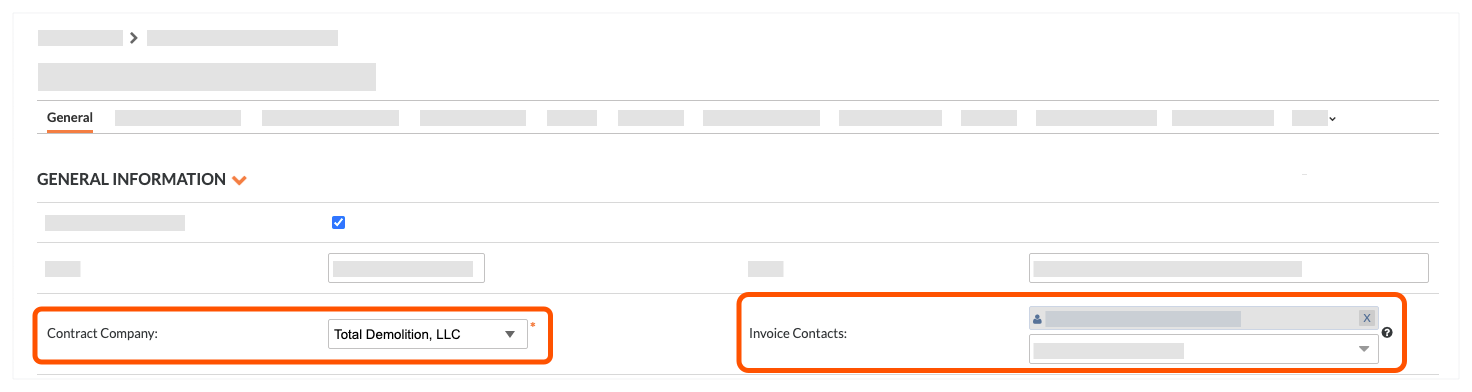
Contacter l’entreprise. Sélectionnez l’enregistrement d’entreprise dans la liste déroulante.
Contacts de facturation. Sélectionnez un employé de l’entreprise dans la liste déroulante.
ConseilsVous ne voyez pas la bonne entreprise dans la liste « Contacter l’entreprise » ? L’enregistrement de l’entreprise doit être ajouté à l’Annuaire du projet. Voir Ajouter une entreprise à l’annuaire du projet.
Vous ne voyez pas l’utilisateur souhaité dans la liste ? L’utilisateur doit être un employé de l’entreprise dans l’Annuaire du projet. Voir Ajouter un compte utilisateur à l’annuaire du projet.