Tutorials
Procore Model Manager - Beta Access & Feedback
The Model Manager (Beta) features and documentation are subject to change without notice.
To learn about the beta program, see the Beta Participant Guide.
The Model Manager (Beta) features and documentation are subject to change without notice.
To learn about the beta program, see the Beta Participant Guide.
The Model Manager (Beta) tool allows Admins to manage the independent discipline files that make up the federated project model. By storing these files in Procore, users can view specific project details without needing additional software, helping teams stay better informed on the latest design updates.
Required User Permissions Currently, only Admin permissions are available. Procore will add more permission levels later.
Navigate to the project's Model Manager (Beta) tool.
In the Model Files card, click the link for the row you want to open in the Name column.
If this is your first time viewing a file in Procore, choose how to view it: 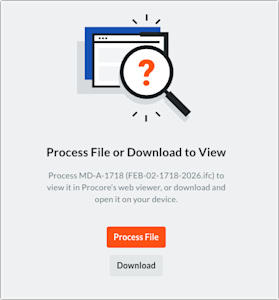
To open it in the viewer, click Process File. Procore processes the file and opens it in the viewer. Processing time can vary depending on the size of the file and your Internet connection.
To download it to your computer, click Download. Procore downloads the file to the folder specified by your web browser's settings.