Tutorials
Procore Model Manager - Beta Access & Feedback
The Model Manager (Beta) tool is exclusively available to registered beta participants. It is not available through Procore Explore. To learn more, see Beta Participant Guide.
With the Model Manager (Beta) tool, tool Admins can set up a federated scene for the first time. You are prompted to choose a document repository in Procore for your source files. Your options are either the Document Management or Documents tool.
The Model Manager (Beta) tool must first be enabled on for the company by Procore. Then, see Enable Model Manager on a Procore Project.
Upload your discipline files to your project's chosen document repository. See Upload Discipline Files to Procore.
Follow these steps to create a new project model.
Navigate to the Model Manager (Beta) tool.
Depending on your configuration, choose one option to select your team's document repository:
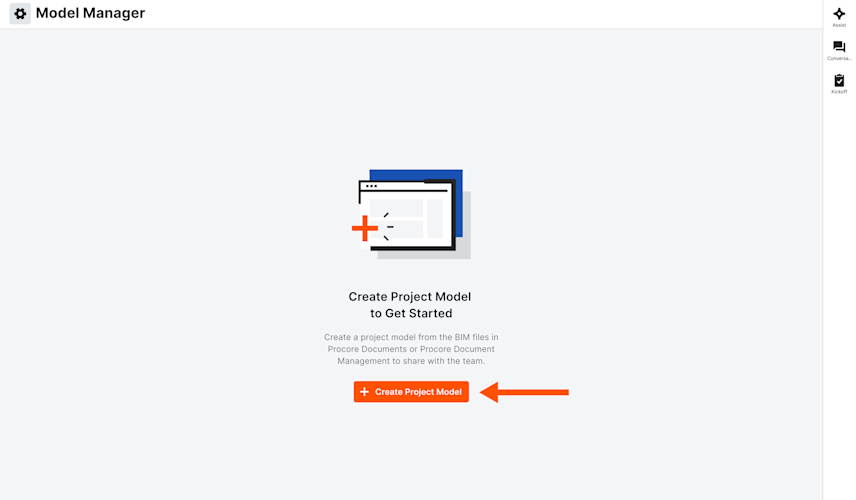
Single Repository: If your project has one (1) repository (Document Management or Documents), simply click Create Project Model.
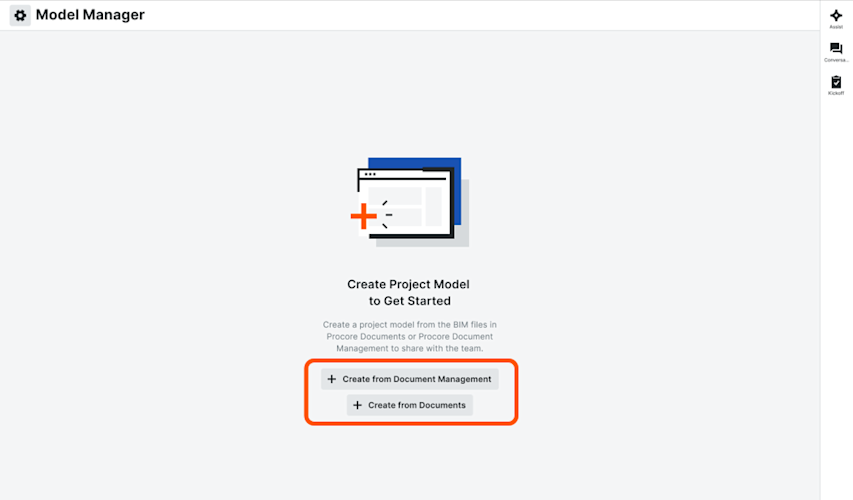
Multiple Repositories: If your project has all repositories, click Create from Document Management or Create from Documents.
Single Repository | Multiple Repositories |
|---|---|
|
|